One system. Open it in a browser, in its own Windows window, or on the phone in your crew’s pocket.
Nothing to install. Open your LinkTask address in Chrome, Edge, Safari or Firefox and sign in. Allow notifications once to get pop-ups even when the tab is closed.
Request a loginA small installer that opens LinkTask in its own native window — no browser tabs, remembers your server, starts with Windows if you want. Any customer can point it at their own instance.
Get the installerThe same LinkTask, mobile-first: collapsible menu, scrolling tables, camera uploads, sign-offs and push notifications. Add it to your home screen and it opens like an app.
See it on a phone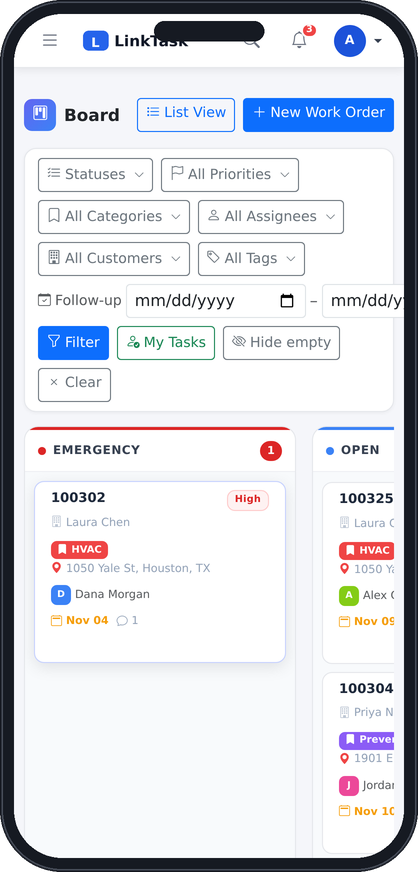
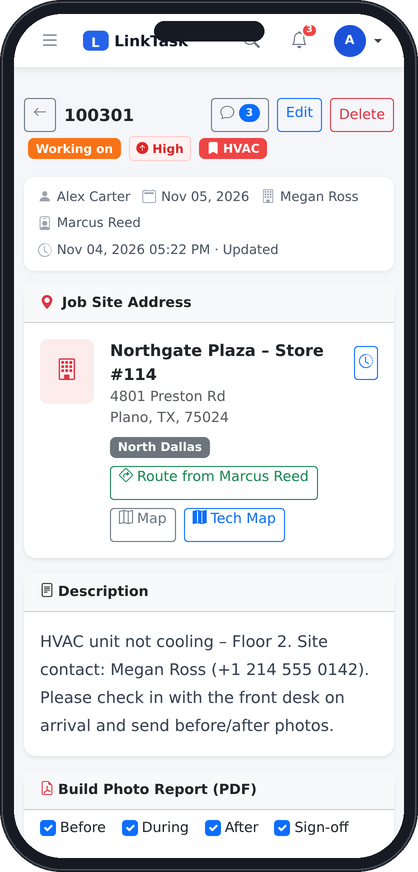
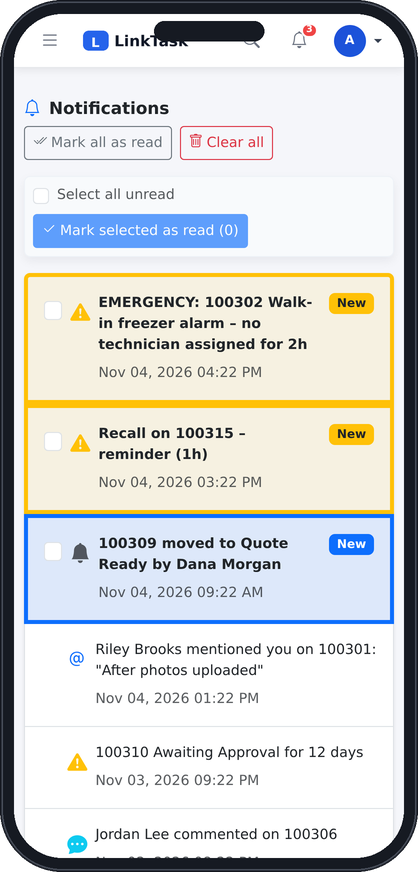
The office works in the browser or the Windows desktop app. Crews and managers on the road open the same LinkTask on their phone — the menu collapses, tables scroll, photos upload from the camera — with push notifications for assignments, mentions and alarms.
Your administrator gives you the LinkTask address of your company (for example tasks.yourcompany.com) and a username.
Use the username and password set by your administrator. You see only what your role allows.
Click Enable alerts in the bell menu so assignments, mentions and alarms reach you — on desktop and on your phone.
Ask us and we will send the installer, or set you up on the demo instance with sample jobs.
